🎙️ Put your phone on the table and talk

Understand what the doctor said. Take it home in writing.

Whether or not the doctor speaks your language, the appointment goes by fast. Put your phone between you and every sentence is written down as it is said, translated when you need that and simply written down when you do not, with the doses, the dates and the warnings kept word for word. When you leave, the whole conversation leaves with you.

New accounts are free: {words} words a week, no card.

Three steps in the exam room

Nothing to install and nobody to phone. It runs in the browser on the phone you already carry.

Set the two languages

Your language and the one the doctor speaks, then the kind of visit: heart, pregnancy, cancer, mental health. That is how the words that belong to this visit come out right.

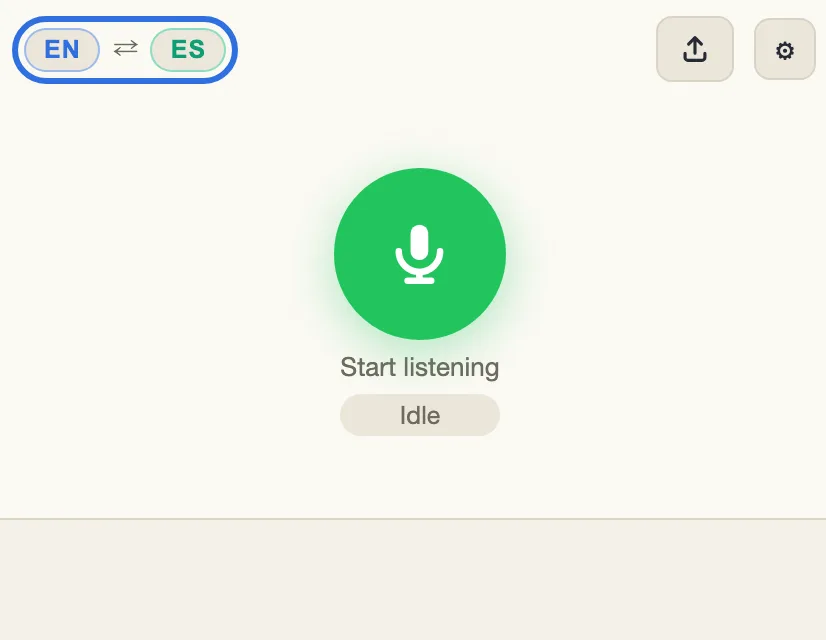
The menu bar, with the language badges outlined

Talk the way you normally would

It hears when each person starts and stops speaking, so nobody holds a button and nothing is sent while the room is quiet. Tell the doctor you are using it, and put the phone where you can both be heard.

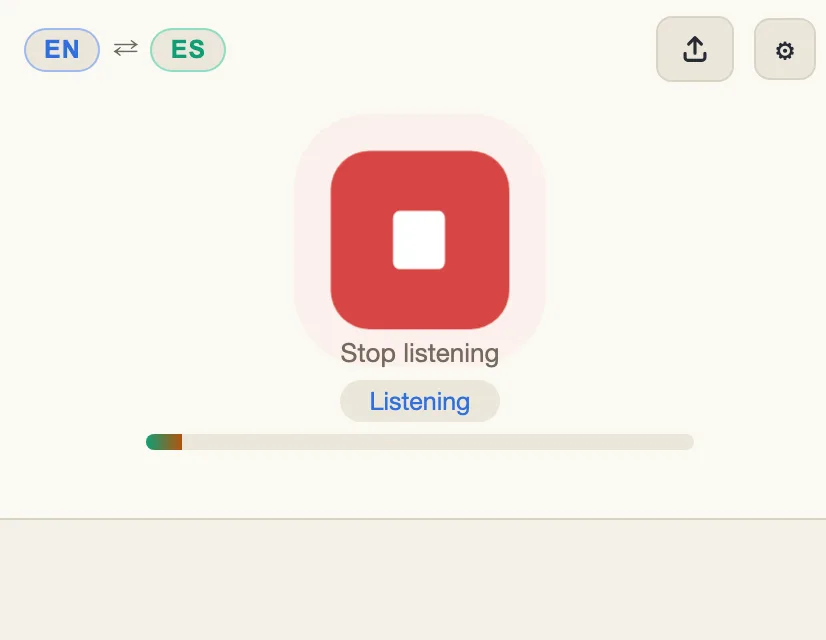
The translator listening: a red stop button and the level meter under it

Read it, hear it, keep it

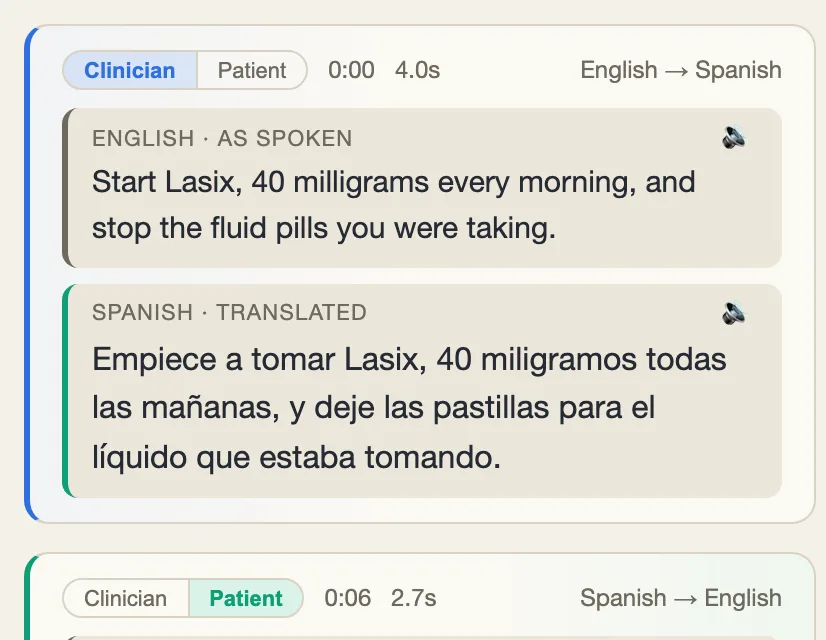
Each sentence shows up in your language a second or two after it is said, and it can be read out loud. By the time you leave, the visit is written down and saved on your phone.

A turn from the clinician in English with its Spanish translation under it

Recorded the visit? Upload it

If you recorded the appointment on your phone, or the clinic sent you a video, upload the audio or video file. It is written down and translated into your language sentence by sentence, exactly like a live visit, and you can save all of it with a time on every line.

  1. Set the two languages

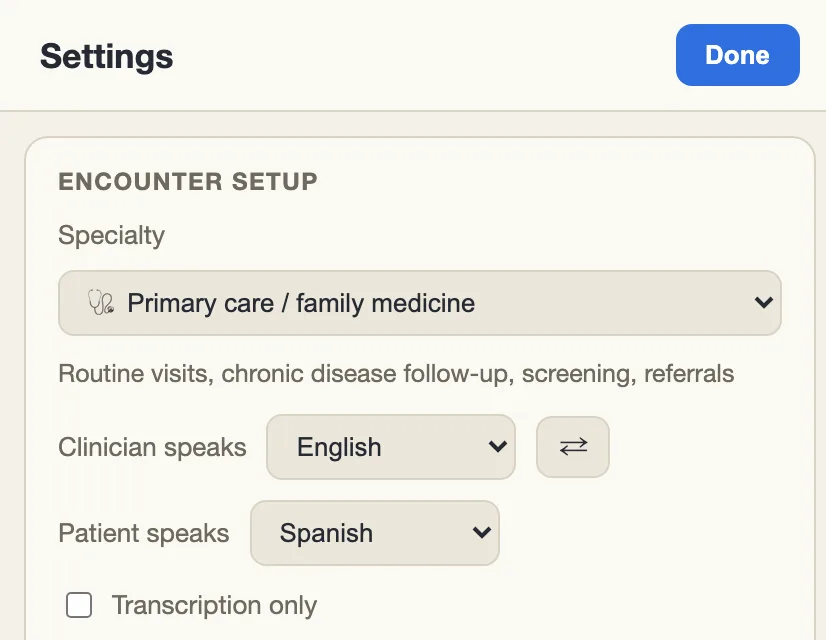
    Tap the language badges on the menu bar to open Settings. Choose the language the doctor speaks, your own, and the kind of visit.

    The Settings page, with English for the clinician and Spanish for the patient
  2. Tap the upload icon

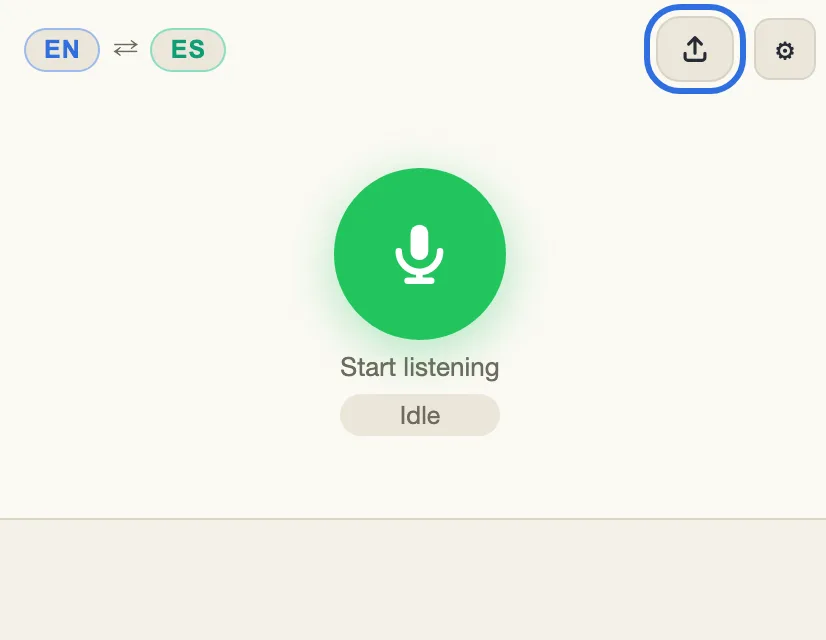
    It is on the menu bar, next to Settings. Choose the audio or video file: MP3, WAV, M4A, Ogg or MP4. From a video, only the sound is used.

    The menu bar, with the upload icon outlined next to Settings
  3. Read it as it arrives, then save it

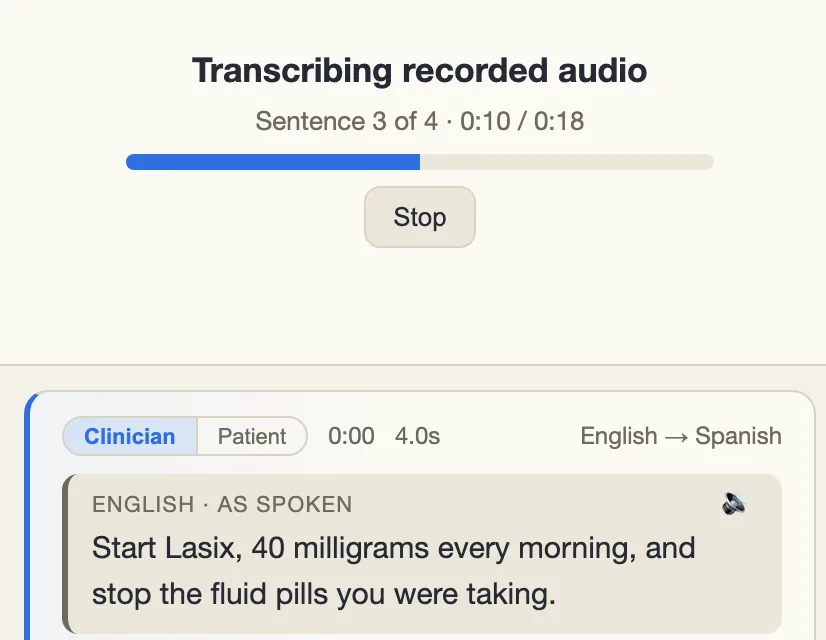
    Each sentence appears with its place in the recording, what was said first and what it means under it. When it finishes, Export in Settings saves the visit as a text file with the time of every line.

    A recording being transcribed: a progress bar, then each turn with its time, who spoke, and the translation

Uploading needs a free account. The words in a recording count the same as words spoken live.

Your doctor has a scribe. This one is yours.

Even when you and the doctor speak the same language, the visit goes by fast, and most of it is gone by the time you reach the car. The same app that translates a visit will also simply write one down: every sentence as it is said, tidied up to read, with the time beside it.

✍️

In the language you are both speaking

It writes down the language the two of you are speaking, whichever that is. The ums, the false starts and the repeated words come out; the doses, the dates and the names stay exactly as they were said. It is a record of what was said, not a medical record.

🕔

The last five minutes

The dose, the date to come back, the thing to call about: most of it is said while you are already reaching for your coat. It is written down whether or not you were still listening.

✅

It follows the two languages

Set both sides to the same language and it writes the visit down. Set them to different ones and it translates, in the same visit, on the same screen. If your phone is already in the language you both speak it starts this way, and the header says Scribe.

Everything that was said, still there when you get home

The dose, the date to come back, the thing to call about: most of it is said in the last five minutes, when you are already reaching for your coat. Every sentence from both sides is written down as it is spoken, in both languages, with the time beside it. Read it again at the pharmacy, at home, as many times as you need.

🗂️

The doctor’s own words, kept

You keep exactly what the doctor said, with your language beside it whenever there is a translation. If a dose looks wrong later, you can check what was said instead of trusting your memory.

📄

It is still there tomorrow

The visit stays in your browser after you close the page, and saves as a file you can print, email, or show at the pharmacy counter.

👨‍👩‍👧

For the family who could not come

The daughter who sorts the pills, the son who drives to the next appointment: they can read exactly what the doctor said, in your own language, instead of a summary repeated at the door.

Where a medical visit goes wrong in translation

A general translation app aims for a sentence that reads well. Here, nothing may be added, dropped or softened, even when the result comes out blunt.

🔢

The dose stays the dose

Numbers, units, how often and how long come through exactly as spoken. Nothing is rounded, converted to other units, or turned into “a few”. If a number goes missing from the translation, it is flagged so you can ask again.

🚫

“No” does not turn into “yes”

“No fever”, “not allergic”, “never smoked”, “do not take it with food”. A “not” cannot be lost on the way into your language, and it cannot appear where nobody said one.

↔️

Left stays left

Which side, which arm, which eye. It comes through as spoken, and is never dropped to make the sentence read more smoothly.

🩻

19 kinds of visit

Heart, cancer, pregnancy, mental health, pharmacy, surgery and more. Each one knows its own vocabulary and its own traps: units against millilitres for insulin, which eye the drops go in, whether a treatment is meant to cure you or to keep you comfortable.

👂

It repairs what the microphone got wrong

The doctor says Lasix and speech recognition writes lay six. Knowing the kind of visit, it puts the real word back. It never “fixes” a number that way, because a number has nothing to check it against.

🤔

“Maybe” stays “maybe”

“It might be”, “we think”, “we have to rule it out” stay uncertain, and what the doctor is sure about stays sure. That is the difference you are agreeing to when you say yes.

🗣️

25 languages

Spanish, Mandarin, Hong Kong Cantonese, Vietnamese, Tagalog, Korean, Arabic, Haitian Creole, Somali and more, each written the way people speak it in a clinic rather than the way a textbook would.

✂️

The stumbles come out, the meaning stays

False starts and half-finished words are cleaned up, and when someone corrects themselves you get what they settled on. No number, medicine name, “not” or body part is touched in the cleaning.

🔒

Nothing is kept on our side

We keep no recording and no transcript of your visit. It lives in your browser until you clear it or save it. What we store is your email address and whether you subscribe.

Free for the occasional appointment

Both plans are the same translator, with every language, every kind of visit and every safety rule. The difference is how much can be said.

Where everyone starts

Free

$0 / forever

No card and no trial clock. Signing up puts you here.

  • {words} translated words a week
  • A rolling seven-day window for the weekly free quota
  • All 25 languages and all 19 kinds of visit
  • Every safety rule, the number check, and the microphone repair
  • Read-aloud, and the written record to take home
Create a free account

What you say and what the doctor says both count toward the weekly words.

Questions people ask

What counts as a word?

The words actually spoken, on both sides. The translation itself is free: a sentence costs the same whether your language needs three words for it or thirty, and hearing it read aloud costs nothing. Chinese, Japanese and other languages written without spaces are counted by character.

How far does a free week go?

People speak around 130 to 150 words a minute and both sides count, so {words} words covers a handful of appointments: the questions and the instructions, not the small talk. If you run out in the middle of a visit the app says so, and the allowance comes back over the following week.

What does a “rolling” week mean?

Usage is counted from right now backwards over seven days rather than reset on a fixed day. Words spent at Monday’s appointment stop counting the next Monday, so the allowance returns a little at a time. There is no reset hour to wait for.

Should I still ask for the hospital interpreter?

Yes, and you do not have to choose between them. In the United States a hospital or clinic that receives federal funding must provide you a professional interpreter, by phone or in person, free of charge. Ask for one before you sign anything, and for consent, test results, or bad news. This app is a machine translation that nobody checks before you read it, so use it to follow what is happening, to prepare your questions, and to keep the record.

What happens to the audio and the transcript?

Speech goes to the speech recognition and translation services this deployment is set up to use, and the text comes back. This server keeps neither the audio nor the transcript: the visit stays in your browser until you clear it or save it. Your account holds your email address, whether you subscribe, and how many words each turn used. An uploaded recording is the one exception: the file is held on this server while it is being transcribed, and deleted when that finishes or shortly after.

How do I sign in?

With your email address. We send a link, you tap it, and you are in. There is no password to choose or forget, the same link creates your account the first time, and each link works once.

Can I cancel whenever I want?

Yes. Subscriptions are handled in Stripe’s billing portal, which you reach from inside the app, and cancelling takes effect without asking anyone. Your account goes back to the free plan rather than disappearing.

Can I take the record home?

That is what it is for. Saving writes every turn, in both languages, into a plain text file with the time of each entry: who spoke, what they said, and what it means. The visit also stays in your browser until you clear it, so you can read it again before you leave. Nothing is uploaded to this server for that to work.

Can I upload a recording I already have?

Yes. Tap the upload icon on the menu bar, next to Settings, and choose the audio or video file: MP3, WAV, M4A, Ogg or MP4. It is written down and translated sentence by sentence, the same as a live visit, and Export saves it as a text file with the time of every line. Uploading needs an account.

Does it work on my phone in the waiting room?

Yes. It runs in the browser with nothing to install, and the screen stays awake while a visit is open. The browser asks for the microphone the first time, and only allows it over a secure https address.
Take it to your next appointment

An email address is all it takes, and you will be set up in under a minute.

Start free